
Subagents & Parallelism
Background Agents and Task subagents with SE-shaped examples. Send one agent to refactor the Apex while another drafts the hand-off doc.
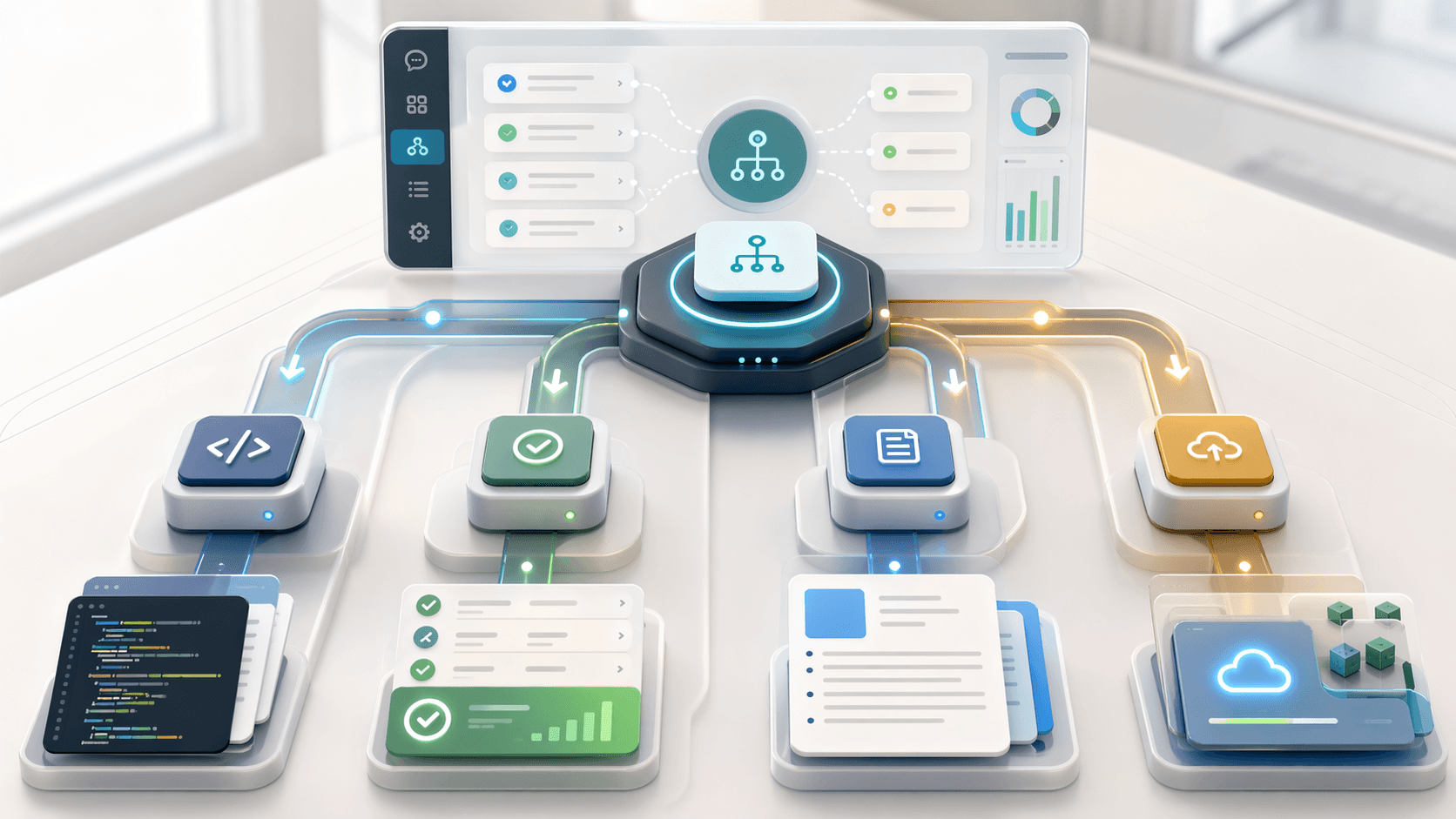
The slow version of "the agent will do the POC for me" is one big prompt and a single context window that starts overflowing at hour two. The fast version is a lead agent that splits the work into parallel pieces, hands them to subagents, and stitches the results back together. This page is the fast version.
Before this page
Advanced Techniques introduces multi-agent orchestration at a high level. This page is the SE playbook: four patterns with real prompts you can adapt.
Two kinds of extra agents
Cursor gives you two ways to run work in parallel.
Background Agents
Long-running work that keeps going while you do other things. A Background Agent has its own git branch, its own environment, and runs on Cursor's infrastructure, not your laptop. You hand it a task, walk away, and come back to a PR.
Good for:
- "Deploy this to three scratch orgs and report which ones failed."
- "Refactor every Apex class in
classes/to use the new service pattern and open a PR." - "Run the full Agentforce test suite nightly and post to Slack."
Task subagents
Short-lived workers spawned inside your current chat session by the lead agent. They share no context with each other and each return a summary when done. Covered in more detail in Advanced Techniques.
Good for:
- "Scaffold the metadata, write the tests, and draft the docs, all at once."
- "Check each of these 20 permission sets for stale references."
- "Summarise three different debug logs in parallel."
Four SE patterns that work
1. Build, test, document
The classic "I need a complete deliverable by lunch" pattern.
Act as a lead agent on this POC. Spawn three Task subagents in parallel.

Subagent A (use sf-ai-agentforce skill): scaffold the force-app metadata
for a Customer Service Triage Agentforce Builder agent with topics for
warranty, billing, and shipping. Keep all output under force-app/main/default.

Subagent B (use sf-ai-agentforce-testing skill): generate 12
aiEvaluationDefinition tests covering the happy paths for each topic plus
ambiguous cases.

Subagent C (use afd360-poc-docs-skill): draft docs/handoff.md describing
the agent, its topics, and the test coverage.

When all three return, consolidate their outputs and flag any edits needed
for the three pieces to line up.
The three subagents run roughly in the time it takes one of them to finish. You review once, not three times.
2. Refactor in sweeps
Big changes across many files stall in a single agent because the context window fills up. Split by layer.
I'm renaming CustomerService to CaseTriageService across the project. Split
the work three ways.

Subagent A: rename every reference in @force-app/main/default/classes/.
Subagent B: rename every reference in @force-app/main/default/lwc/.
Subagent C: rename every reference in test files and permission sets.

Use a search-and-replace approach, not a full rewrite. When each returns,
summarise what was changed.
This also scales with how much the agent costs you. Three narrow agents usually use less total context than one agent trying to hold the whole thing in memory.
3. Review from three angles
When you want a POC reviewed before hand-off, send three reviewers with different mandates.
Review this project three ways in parallel.

Subagent A (sf-apex skill): review all Apex for bulkification, governor
limits, and test coverage gaps.

Subagent B (sf-permissions skill): audit permission sets and identify any
CRUD or FLS gaps for the CS_Agent_Demo_User permission set group.

Subagent C (sf-ai-agentforce-testing skill): look at the agent test suite
and tell me which topics are under-covered.

Return three scored reports. I will consolidate.
Each subagent gets the narrow context it needs and applies its skill's scoring rubric. You get three opinionated reports instead of one broad one.
4. Long-running work on a Background Agent
When you need a thing built but you also need to be on a customer call in 15 minutes.
Open a Background Agent and brief it:
Background agent task. Target org: cs-poc-scratch.

1. Create a new scratch org called cs-poc-v2 from config/project-scratch-def.json.
2. Deploy force-app to it.
3. Run ./scripts/demo-reset.sh against cs-poc-v2.
4. Run the full Apex test suite and capture coverage.
5. Run the Agentforce test suite (sf agent test run).
6. Open a PR against main with the coverage report in PR-body.md.

Return when the PR is up. If any step fails, stop and report the error.
You get an email or Slack ping (depending on your config) when the PR lands. You review. Merge. Demo with the fresh org.
Writing a good subagent brief
The difference between a subagent that works and one that wastes a turn is the brief. A good brief has four things:
- Scope. Exactly which files or metadata types to touch.
- Skill. Which skill to activate, if any.
- Constraints. What not to do ("don't touch the LWC folder," "don't rename test classes").
- Return format. A summary, a PR, a diff, a report.
A bad brief looks like "improve the Apex code." A good brief looks like:
Scope: force-app/main/default/classes/*Service.cls only.
Skill: sf-apex.
Constraint: do not rename public method signatures; they're referenced by LWCs.
Return: a markdown summary listing each file, the change made, and the
scoring rubric result from the sf-apex skill.
When to skip the parallelism
Subagents shine when tasks are independent. They're a net loss when tasks depend on each other's decisions.
Skip the split when:
- The naming decisions from Subagent A directly shape what Subagent B does.
- The work is small enough that the coordination overhead exceeds the saved time.
- You need live back-and-forth with the agent and aren't ready to commit to a full brief.
Use the split when:
- The work has clear, independent pieces.
- You can write the brief for each one in a sentence or two.
- You'd rather have three rough drafts in parallel than one polished sequential output.
Background Agent hygiene
Background Agents run on fresh environments. A few SE-specific gotchas:
- They need
sfCLI auth. Make sure the agent's environment has a valid token or sidelines to your Dev Hub. - They can deploy to customer orgs if you tell them to. Be explicit about which org. Never let a Background Agent pick.
- They can cost real money if the task runs long. Put a hard time budget in the brief ("stop after 30 minutes even if not done").
Verification
After a multi-subagent run, check two things:
- Did each subagent actually fire? The lead agent's output should show one "subagent returned" message per subagent.
- Is the consolidated output internally consistent? If Subagent A called the class
CaseTriageServiceand Subagent B importedCustomerServiceRouter, the names didn't line up and the lead agent missed the merge.
If either is off, rerun with a tighter brief. The investment in the brief is always smaller than the cost of the bad output.
Next moves
- Advanced Techniques for the base pattern.
- Hooks & Automation for the automation that can kick off a Background Agent on its own.
- POCs & Hand-off Docs for the "build, test, document" pattern applied to an actual deliverable.