
It's Subagents Time
Subagents define jobs an agent can perform — descriptions, actions, reasoning instructions, and transitions
Subagents
Subagents define jobs an agent can perform. Each subagent contains a description, actions, and reasoning instructions that tell the agent how to handle a specific type of request.
Nomenclature Update
Subagent is the current term. The earlier keyword topic is being phased out.
- In current Agent Script, use
subagent my_name:to declare a unit of work @subagent.my_nameis the reference syntax- The older
topickeyword still parses in the Agentforce dialect as a legacy alias, so older scripts keep working — but all new work should usesubagent - Some URLs and UI labels in the Salesforce documentation still say "topic" even when the examples show
subagent. Treat the two as the same concept and prefersubagentin any file you author
A further rename is on the roadmap (actions → tool_definitions, reasoning.actions → reasoning.tools). The parser already understands both, but examples in this guide still use actions / reasoning.actions until the change lands in the main Salesforce documentation.
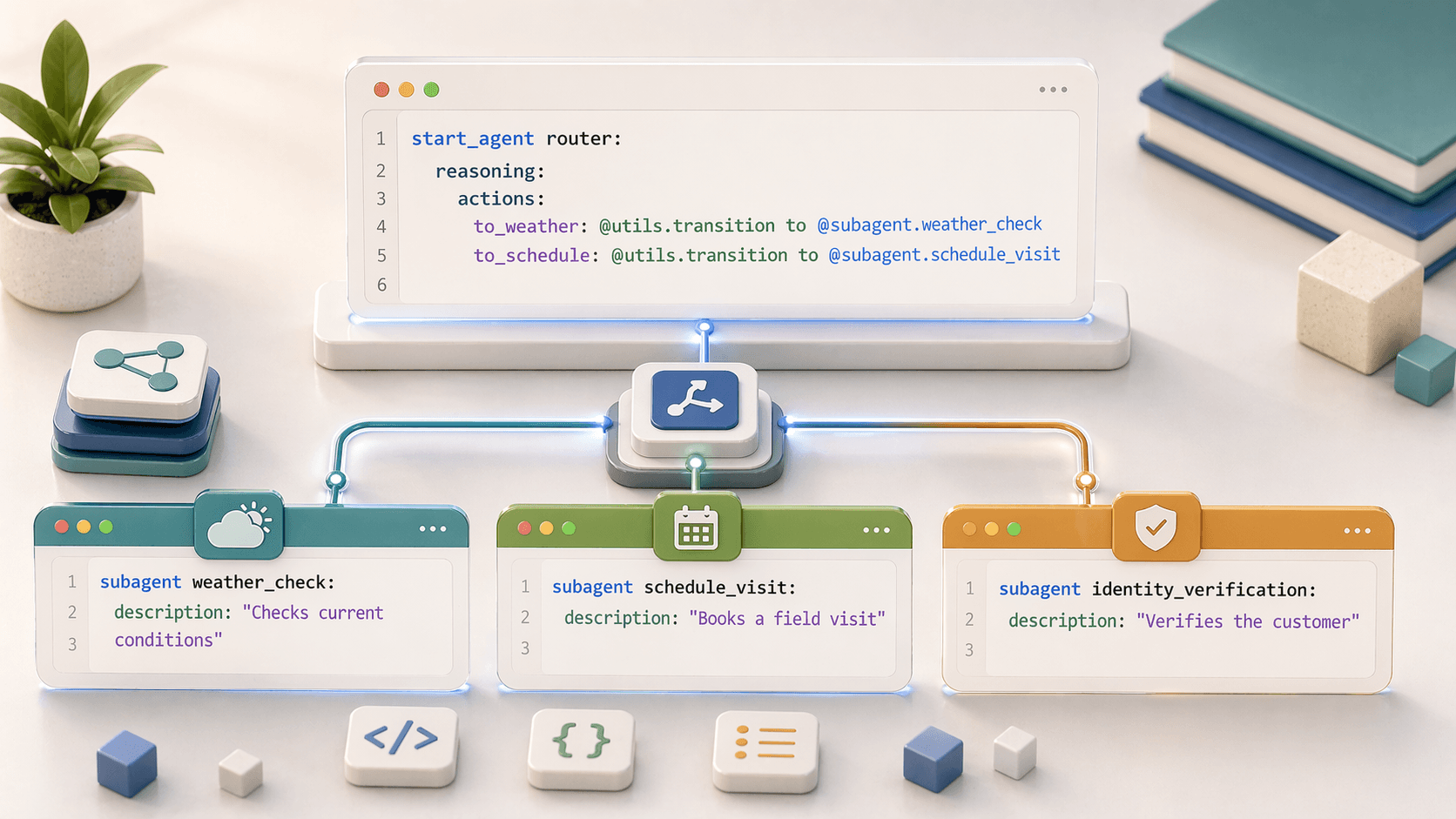
Subagent Structure
subagent subagent_name:
  description: "Description that helps the agent decide when to use this subagent"

  before_reasoning:
    # Optional: runs before reasoning

  actions:
    # Define available actions

  reasoning:
    instructions:
      # Logic and prompts for the LLM
    actions:
      # Tools the LLM can use

  after_reasoning:
    # Optional: runs after reasoning completes
Subagent Properties
| Property | Required | Description |
|---|---|---|
subagent name | ✅ | Identifier using snake_case |
description | ✅ | Helps the agent decide when this subagent is relevant |
actions | ❌ | Defines available actions for this subagent |
reasoning | ✅ | Contains instructions and tools |
reasoning.instructions | ✅ | Logic and prompts for the reasoning engine |
reasoning.actions | ❌ | Tools the LLM can choose to use |
before_reasoning | ❌ | Runs before reasoning instructions |
after_reasoning | ❌ | Runs after reasoning completes |
The Description: Critical for Routing
The description is how the agent decides which subagent should handle a request. Think of it as the label the router reads when it's trying to match user intent.
# Good descriptions - specific and action-oriented
subagent order_tracking:
  description: "Helps customers track shipments, get delivery dates, and locate packages"

subagent returns_and_refunds:
  description: "Processes return requests, refund inquiries, and exchange orders"

subagent technical_support:
  description: "Troubleshoots product issues, provides setup guidance, and resolves errors"
Description Best Practices
- Be specific about what the subagent handles
- Use action verbs (helps, processes, resolves)
- Include key phrases customers might actually say
- Avoid overlap with other subagent descriptions — overlapping descriptions confuse the router
Complete Subagent Example
subagent appointment_scheduling:
  description: "Schedules, reschedules, and cancels customer appointments"

  actions:
    check_availability:
      description: "Check available appointment slots"
      inputs:
        date:
          type: date
          required: True
        service_type:
          type: string
          required: True
      target: flow://Check_Appointment_Slots
      outputs:
        available_slots:
          type: list[datetime]

    book_appointment:
      description: "Book an appointment slot"
      inputs:
        datetime:
          type: datetime
          required: True
        customer_id:
          type: id
          required: True
        service_type:
          type: string
          required: True
      target: flow://Book_Appointment
      outputs:
        confirmation_number:
          type: string
        appointment_details:
          type: object

  before_reasoning:
    if @variables.customer_id is None:
      -> transition to @subagent.customer_verification

  reasoning:
    instructions: |
      Help the customer schedule an appointment.
      1. Ask what type of service they need
      2. Check availability for their preferred date
      3. Present available slots and let them choose
      4. Confirm the booking and provide confirmation number

    actions:
      - check_slots:
          description: "Check available appointment times for a given date"
          @actions.check_availability
          with:
            date: ...
            service_type: @variables.selected_service
          set:
            @variables.available_times: available_slots

      - book_slot:
          description: "Book the selected appointment slot"
          @actions.book_appointment
          with:
            datetime: ...
            customer_id: @variables.customer_id
            service_type: @variables.selected_service
          available when: @variables.available_times is not None

  after_reasoning:
    if @variables.appointment_confirmed == True:
      -> run @actions.send_confirmation_email
start_agent: The Entry Point
Every script needs exactly one start_agent block. It is the entry-point subagent — every customer message begins here before anything else runs.
start_agent agent_router:
  description: "Welcome the user and determine the appropriate subagent based on user input"

  reasoning:
    instructions: ->
      | Select the best tool to call based on conversation history and user's intent.

    actions:
      go_to_orders: @utils.transition to @subagent.order_management
        description: "Handles order lookup, refunds, and order updates."

      go_to_faq: @utils.transition to @subagent.general_faq
        description: "Handles FAQ lookup and provides answers to common questions."

      go_to_escalation: @utils.transition to @subagent.escalation
        description: "Escalate to a human representative."
start_agent vs. regular subagents
- The block uses the
start_agentprefix instead ofsubagent - It runs on every user utterance
- Typical uses: greeting, intent classification, routing
- You can reach the same block by either
@start_agent.nameor@subagent.name— they are aliases
Transitions: How Subagents Hand Off
There are two shapes of handoff, and the difference matters.
One-way transition (@utils.transition to)
Execution moves to the target subagent and does not return. Use this for navigation between conversation phases.
# In reasoning.actions (as a tool the LLM can pick)
actions:
  go_to_billing: @utils.transition to @subagent.billing
    description: "Transfer to billing for payment issues"
# In before_reasoning / after_reasoning (deterministic, no @utils. prefix inside blocks)
before_reasoning:
if @variables.verified is not True:
transition to @subagent.identityReturning reference (@subagent.name)
Reference the subagent directly. The agent runs it, then returns to the caller. Use this for sub-routines — verify identity, then continue what you were doing.
actions:
  verify_customer: @subagent.customer_verification
    description: "Verify customer identity before proceeding"
Quick mental model:
| Shape | Syntax | Returns? |
|---|---|---|
| Transition | @utils.transition to @subagent.X | ❌ one-way |
| Reference | @subagent.X | ✅ returns to caller, like a function call |
Transition Patterns
The Salesforce docs call out a few recurring patterns. Recognizing them up front makes designs much easier to reason about.
1. Agent Router
A start_agent block that does nothing but classify intent and route. Keep it thin — no business logic inside the router.
start_agent agent_router:
  description: "Route user to the right subagent"
  reasoning:
    instructions: ->
      | Pick the best tool for the user's intent.
    actions:
      go_to_orders: @utils.transition to @subagent.orders
        description: "Order tracking, status, cancellations."
      go_to_returns: @utils.transition to @subagent.returns
        description: "Returns, refunds, exchanges."
2. Required Subagent Flow
Force users through a prerequisite (identity verification, consent, eligibility check) before they can reach the subagent they actually asked for. Express the requirement at the top of the target subagent with before_reasoning.
subagent account_updates:
  description: "Update customer account details"
  before_reasoning:
    if @variables.verified is not True:
      transition to @subagent.identity_verification
  reasoning:
    instructions: |
      The user is now verified. Help them update their account.
3. Filtering with available when
Hide or show reasoning actions and transitions based on variable state. This is how you keep the router from offering choices the user isn't eligible for.
actions:
  go_to_vip_support: @utils.transition to @subagent.vip_support
    description: "Priority support for VIP customers"
    available when @variables.loyalty_tier == "Platinum VIP"

  go_to_standard_support: @utils.transition to @subagent.support
    description: "Standard support"
    available when @variables.loyalty_tier != "Platinum VIP"
4. Conditional Deterministic Transition
Inside reasoning.instructions or before_reasoning, code — not the LLM — picks the branch.
reasoning:
  instructions: ->
    if @variables.loyalty_tier == "Platinum VIP":
      transition to @subagent.vip_support
5. Chained Transition After an Action
Run an action, then transition automatically once it finishes.
actions:
  validate_user_ready: @actions.validate_user_ready
    with user_id=@variables.user_id
    transition to @subagent.analyze_issue
Multiple Subagents Working Together
start_agent router:
  description: "Routes customers to appropriate subagents"
  reasoning:
    actions:
      to_orders: @utils.transition to @subagent.orders
        description: "Order tracking and status"
      to_returns: @utils.transition to @subagent.returns
        description: "Returns and refunds"

subagent orders:
  description: "Handles order inquiries"
  reasoning:
    instructions: |
      Help with order questions.
    actions:
      check_return_policy: @utils.transition to @subagent.returns
        description: "If customer wants to return, go to returns"

subagent returns:
  description: "Processes returns"
  reasoning:
    instructions: |
      Process return requests.
    actions:
      back_to_orders: @utils.transition to @subagent.orders
        description: "Return to order management"
connected_subagent: Calling Another Agent
A connected_subagent block lets you call an externally deployed agent as if it were a local subagent. Useful when ownership is split across teams or when you want to reuse a published agent.
connected_subagent billing_agent:
  description: "Externally deployed billing agent"
  target: "agentforce://Billing_Agent"
  inputs:
    customer_id: @variables.customer_id
  loading_text: "Connecting to billing specialist…"
From elsewhere in the script, reference it like any other subagent:
actions:
  go_to_billing: @utils.transition to @subagent.billing_agent
    description: "Hand off to the billing specialist agent"
Naming Rules
Subagent Naming Standards
Subagent names follow Salesforce developer name standards:
- Begin with a letter (not underscore)
- Alphanumeric characters and underscores only
- Cannot end with underscore
- No consecutive underscores (
__) - Maximum 80 characters
- Recommended: use
snake_case
Further Reading
- Salesforce Developers — Patterns & Transitions
- Salesforce open-source Agent Script repo — canonical spec and examples