
What About Tools?
Tools (Reasoning Actions) are executable functions that the LLM can choose to call based on the tool's description and current context
Tools
Tools (also called Reasoning Actions) are executable functions that the LLM can choose to call based on the tool's description and current context. You define tools in the subagent's reasoning.actions block.
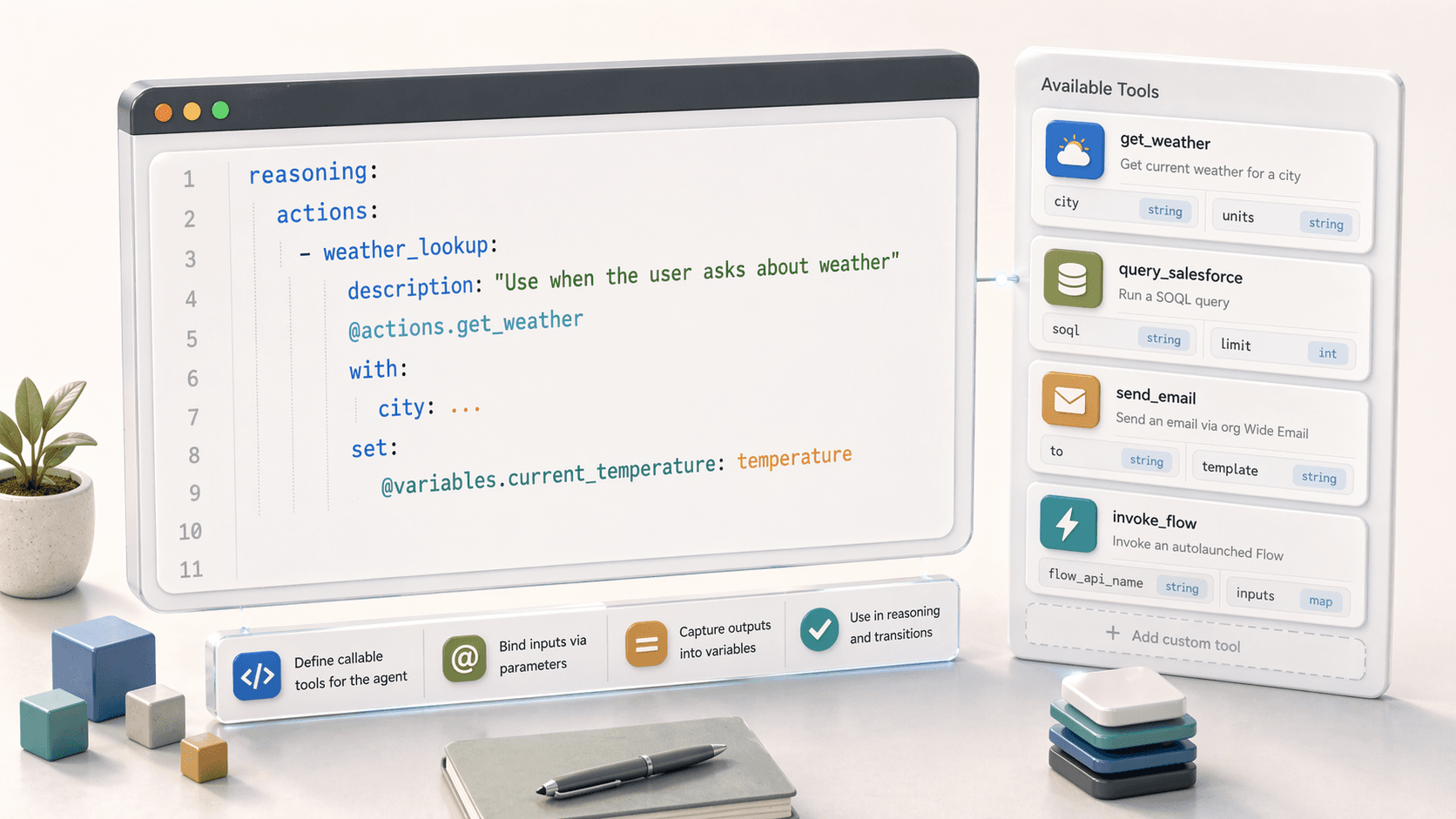
Tools Overview
Tools provide a way to give the LLM agency over when to execute actions. Unlike deterministic run commands, tools let the LLM decide based on:
- The tool's description
- Current conversation context
- User's input
Tool Syntax
Tools must wrap either an action or a @utils function.
reasoning:
  actions:
    - tool_name:
        description: "When and why to use this tool"
        @actions.action_name  # or @utils function
        with:
          param1: value_or_...
          param2: @variables.some_var
        set:
          @variables.output_var: output_param
        available when: condition
Tool Properties
| Property | Required | Description |
|---|---|---|
tool_name | ✅ | Identifier for the tool |
description | ✅ | Helps LLM decide when to use the tool |
@actions.* or @utils.* | ✅ | The action or utility to execute |
with | ❌ | Bind input parameters |
set | ❌ | Assign output values to variables |
available when | ❌ | Condition for tool availability |
Binding Parameters with with
Use with to pass values to the action's input parameters.
actions:
  - get_order_tool:
      description: "Retrieve order details"
      @actions.get_order_details
      with:
        order_id: @variables.order_id        # From a variable
        include_history: True                 # Literal value
        customer_name: ...                    # LLM extracts from conversation
The `...` Token
Use ... to tell the LLM to extract the value from the conversation. The LLM uses the parameter's description to understand what to extract.
Storing Outputs with set
Use set to store action outputs in variables.
actions:
  - get_weather_tool:
      description: "Get current weather for a location"
      @actions.get_weather
      with:
        location: ...
      set:
        @variables.temperature: temperature
        @variables.conditions: weather_conditions
Controlling Availability with available when
Use available when to deterministically control when the LLM can use a tool.
actions:
  - place_order_tool:
      description: "Complete the order purchase"
      @actions.place_order
      available when: @variables.cart_total > 0

  - apply_discount_tool:
      description: "Apply a discount code"
      @actions.apply_discount
      available when: @variables.is_premium_member == True

  - resend_code_tool:
      description: "Resend verification code if customer didn't receive it"
      @actions.send_verification_code
      available when: @variables.verification_sent == True and @variables.is_verified == False
Complex Conditions
actions:
  - escalate_tool:
      description: "Transfer to human agent"
      @utils.escalate
      available when: @variables.escalation_requested == True or @variables.failed_attempts >= 3

  - premium_support_tool:
      description: "Access premium support features"
      @actions.premium_features
      available when: @variables.account_tier == "premium" and @variables.is_verified == True
Transition Tools
Use @utils.transition to to create tools that move to different subagents.
reasoning:
  actions:
    - order_routing_tool:
        description: "Route to order management for order-related requests"
        @utils.transition to @subagent.order_management

    - billing_routing_tool:
        description: "Route to billing for payment and invoice questions"
        @utils.transition to @subagent.billing

    - escalate_tool:
        description: "Transfer to human agent when customer requests it"
        @utils.escalate
Transitions are one-way
When using @utils.transition to, control does not return to the original subagent.
Subagent References vs. Transitions
You can invoke a subagent in two ways with very different behaviors:
| Method | Syntax | Behavior |
|---|---|---|
| Transition | @utils.transition to @subagent.name | One-way; no return |
| Reference | @subagent.name | Delegates then returns (like a function call) |
Example: Both Methods
reasoning:
  actions:
    # Transition - one way, doesn't return
    - go_to_checkout:
        description: "Move to checkout process"
        @utils.transition to @subagent.checkout

    # Reference - runs the subagent then returns here
    - verify_identity:
        description: "Run identity verification then continue"
        @subagent.identity_verification
When to use which
- Use transitions for navigation (moving between conversation flows)
- Use subagent references for sub-routines (verify something, then continue current flow)
Variable Setting Tools
Use @utils.set to create tools that let the LLM capture information into variables.
reasoning:
  actions:
    - capture_contact_info:
        description: "Capture customer's contact information from conversation"
        @utils.set @variables.email = ...
        @utils.set @variables.phone = ...

    - set_preference:
        description: "Record customer's communication preference"
        @utils.set @variables.contact_preference = ...
Complete Example
subagent order_support:
  description: "Handles order inquiries and issues"

  actions:
    get_order_details:
      target: flow://Get_Order_Details
      inputs:
        order_id:
          type: string
          required: True
      outputs:
        status:
          type: string
        items:
          type: list[object]
        total:
          type: currency

    cancel_order:
      target: flow://Cancel_Order
      inputs:
        order_id:
          type: string
          required: True
        reason:
          type: string
      outputs:
        success:
          type: boolean
        refund_amount:
          type: currency

  reasoning:
    instructions: |
      Help the customer with their order.
      First, get the order details to understand their situation.
      Only offer cancellation if the order hasn't shipped yet.

    actions:
      - lookup_order:
          description: "Look up order details when customer provides order number"
          @actions.get_order_details
          with:
            order_id: ...
          set:
            @variables.order_status: status
            @variables.order_total: total

      - cancel_order_tool:
          description: "Cancel the order if customer requests and order hasn't shipped"
          @actions.cancel_order
          with:
            order_id: @variables.current_order_id
            reason: ...
          available when: @variables.order_status != "shipped"

      - transfer_to_shipping:
          description: "Route to shipping team for delivery issues"
          @utils.transition to @subagent.shipping_support
          available when: @variables.order_status == "shipped"