
Tell Me About Utils
Utils are utility functions that can be used as tools in Agent Script, providing built-in capabilities for subagent transitions, variable setting, and escalation
Utils
Utils are utility functions that can be used as tools in Agent Script. They provide built-in capabilities for subagent transitions, variable setting, and escalation to human agents.
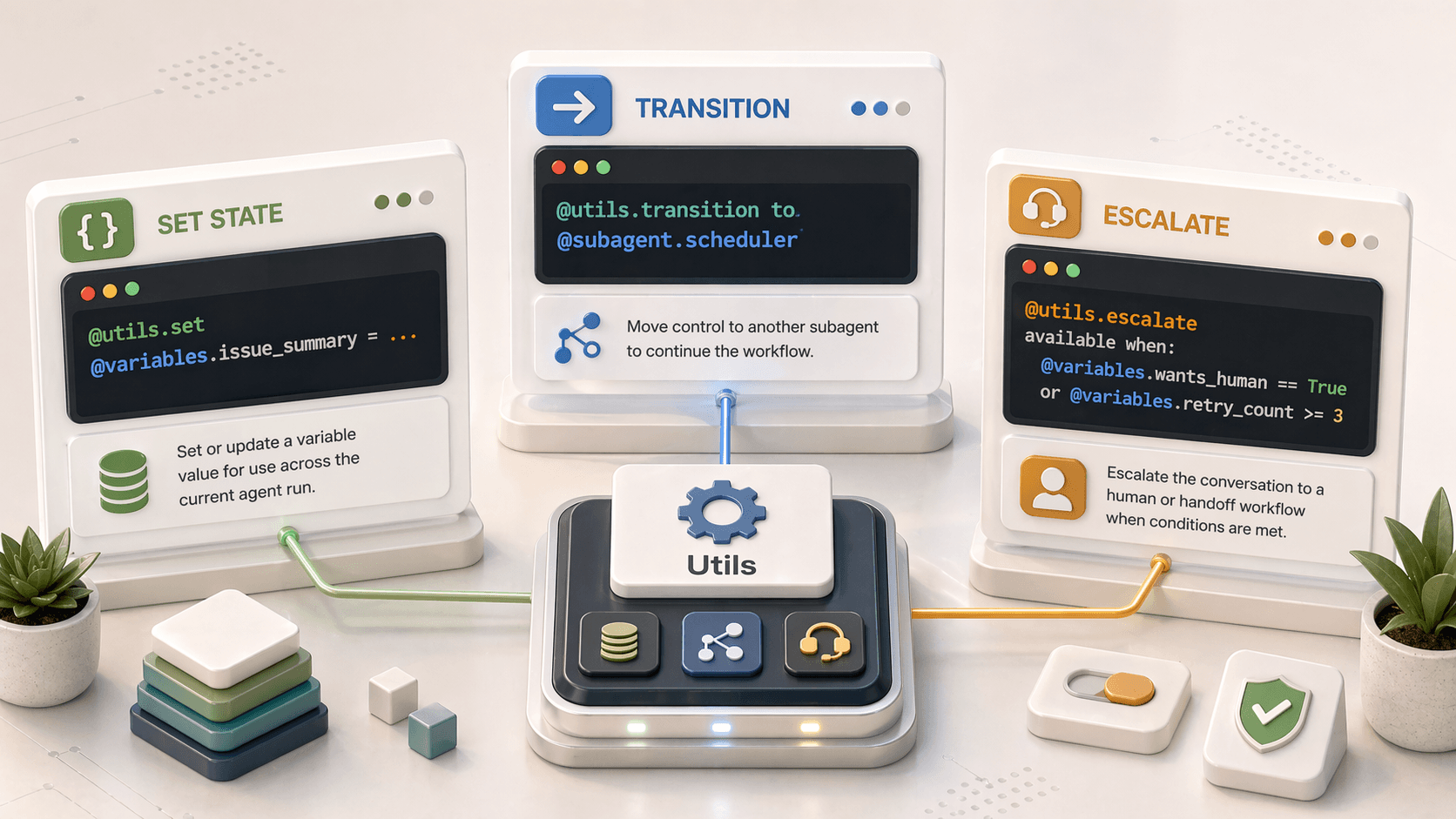
Available Utils
| Utility | Purpose |
|---|---|
@utils.transition to | Move to a different subagent |
@utils.set | Set a variable value (with LLM slot filling) |
@utils.escalate | Hand off to a human agent |
@utils.transition to
Tells the agent to move to a different subagent. Transitions are one-way - there's no return of control to the calling subagent.
Syntax
@utils.transition to @subagent.subagent_nameIn Reasoning Actions (Tools)
reasoning:
  actions:
    - go_to_orders:
        description: "Route to order management for order-related requests"
        @utils.transition to @subagent.order_management

    - go_to_billing:
        description: "Route to billing for payment questions"
        @utils.transition to @subagent.billing

    - go_to_support:
        description: "Route to technical support for product issues"
        @utils.transition to @subagent.technical_support
In Before/After Reasoning
In before_reasoning and after_reasoning, use transition to directly:
before_reasoning:
  if @variables.is_verified == False:
    -> transition to @subagent.verification

after_reasoning:
  if @variables.task_complete:
    -> transition to @subagent.feedback
Key Behavior
- Transitions execute immediately when encountered
- Execution of the current block is halted
- Control passes to the new subagent
- The original subagent's
after_reasoningis not run if transition happens mid-subagent
Example: Complete Routing
start_agent agent_router:
  description: "Routes customers to appropriate subagents based on their needs"

  reasoning:
    instructions: |
      Welcome the customer and determine how to help them.
      Listen carefully to understand their intent.

    actions:
      - route_orders:
          description: "Handle order tracking, status, cancellations, and modifications"
          @utils.transition to @subagent.order_management

      - route_returns:
          description: "Handle returns, refunds, and exchanges"
          @utils.transition to @subagent.returns_and_refunds

      - route_account:
          description: "Handle account settings, profile updates, password resets"
          @utils.transition to @subagent.account_management

      - route_faq:
          description: "Answer general questions about products and policies"
          @utils.transition to @subagent.faq
Transition vs. Subagent Reference
There are two ways to invoke another subagent:
| Method | Syntax | Behavior |
|---|---|---|
| Transition | @utils.transition to @subagent.name | One-way; no return |
| Reference | @subagent.name | Runs the subagent, then returns to caller |
reasoning:
  actions:
    # Transition: one-way, doesn't come back
    - checkout:
        description: "Complete the purchase"
        @utils.transition to @subagent.checkout

    # Reference: runs subagent then returns here
    - verify:
        description: "Verify identity then continue"
        @subagent.identity_verification
When to use which
- Transitions: Navigation between conversation phases (checkout → confirmation)
- Subagent References: Sub-routines that should return (verify identity → continue current task)
@utils.set
Tells the agent to set a variable based on natural language extraction. The ... token instructs the LLM to extract the value from the conversation.
Syntax
@utils.set @variables.variable_name = ...As a Tool
variables:
  first_name: mutable string
    description: "Customer's first name"
  last_name: mutable string
    description: "Customer's last name"
  email: mutable string
    description: "Customer's email address"

reasoning:
  actions:
    - capture_name:
        description: "Capture the customer's name from the conversation"
        @utils.set @variables.first_name = ...
        @utils.set @variables.last_name = ...

    - capture_email:
        description: "Capture the customer's email address"
        @utils.set @variables.email = ...
Slot Filling
The ... tells the LLM to use its reasoning to extract the appropriate value from the conversation. Include a description on variables to help the LLM understand what to extract.
Multiple Variables in One Tool
actions:
  - capture_shipping_info:
      description: "Capture customer's shipping address details"
      @utils.set @variables.street_address = ...
      @utils.set @variables.city = ...
      @utils.set @variables.state = ...
      @utils.set @variables.zip_code = ...
@utils.escalate
Tells the agent to escalate the conversation to a human service representative.
Prerequisites
To use @utils.escalate, you need:
- An active Omni-Channel connection
- A
connection messagingblock withoutbound_route_typeandoutbound_route_name
Setup
connection messaging:
  outbound_route_type: "queue"
  outbound_route_name: "Customer_Support_Queue"
Usage
reasoning:
  actions:
    - escalate_to_human:
        description: "Transfer to a human agent when customer requests or issue is complex"
        @utils.escalate
        available when: @variables.escalation_requested == True or @variables.failed_attempts >= 3
Complete Example
subagent support:
  description: "Handles customer support requests"

  reasoning:
    instructions: |
      Help the customer resolve their issue.
      If you can't resolve it after 3 attempts, or they ask for a human, escalate.

    actions:
      - try_resolution:
          description: "Attempt to resolve the customer's issue"
          @actions.troubleshoot
          with:
            issue_type: ...
          set:
            @variables.resolution_found: success

      - transfer_to_agent:
          description: "Transfer to human agent if unable to resolve or customer requests"
          @utils.escalate
          available when: @variables.resolution_found == False or @variables.wants_human == True
Reserved Keyword
escalate is a reserved keyword and cannot be used for subagent or action names.
Related Pages
- Tools (Reasoning Actions) - Using utils as tools
- Variables - Setting variables with @utils.set
- Subagents & Start Agent - Subagent transitions and patterns