
Advanced Reasoning
Before Reasoning and After Reasoning are optional blocks inside a subagent that run either before or after the main reasoning instructions execute
Before & After Reasoning
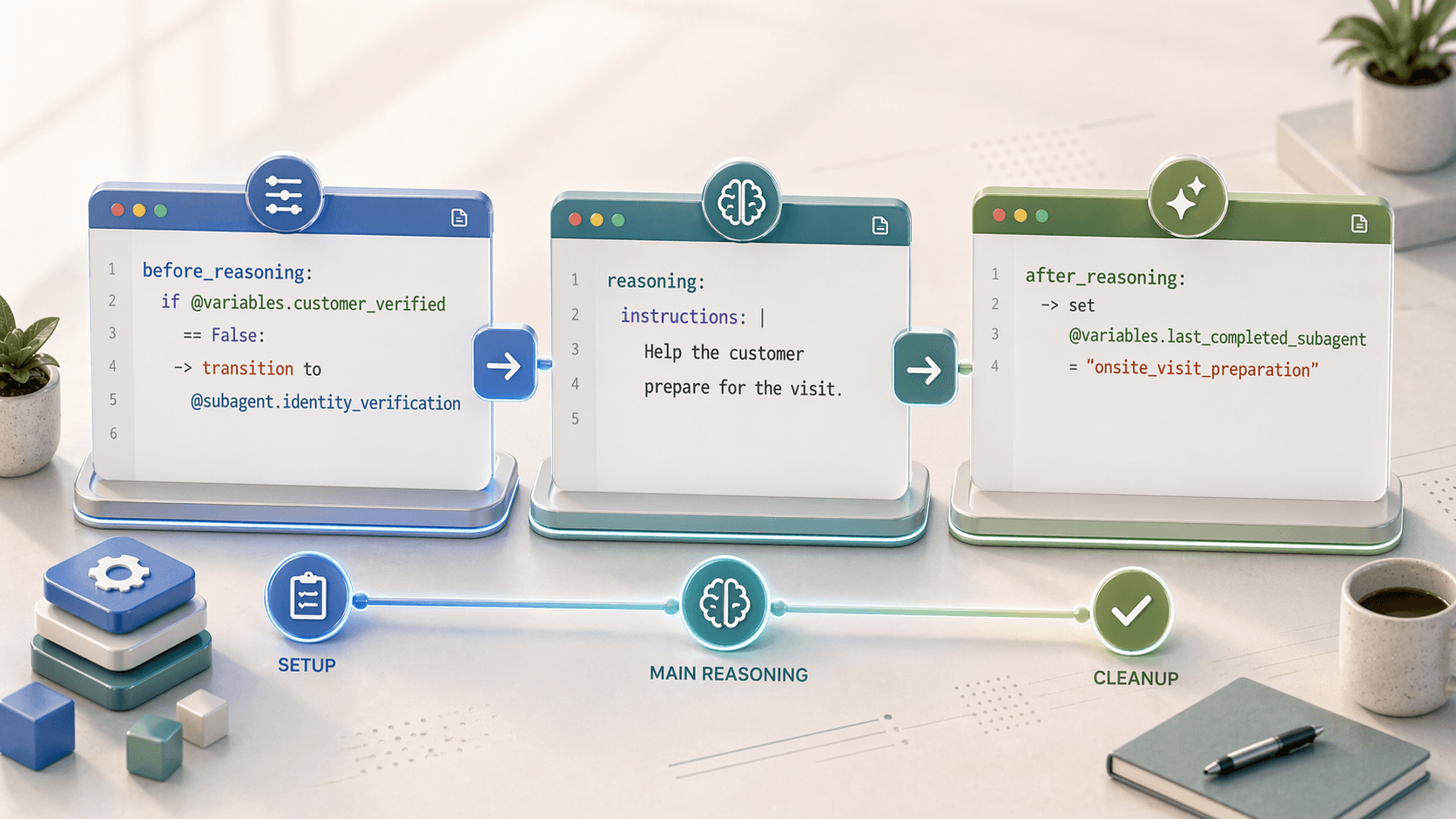
Before Reasoning and After Reasoning are optional blocks inside a subagent that run either before or after the main reasoning instructions execute. They're useful for setup, validation, cleanup, and transitions.
Overview
| Block | When It Runs | Common Uses |
|---|---|---|
before_reasoning | Before reasoning instructions | Set variables, validate state, redirect to other subagents |
after_reasoning | After reasoning completes | Save results, trigger follow-up actions, transition to next subagent |
Before Reasoning
The before_reasoning block runs on every request, before the agent processes the main reasoning instructions.
Syntax
subagent my_subagent:
  before_reasoning:
    # Logic here runs first
    if condition:
      -> action or transition

  reasoning:
    instructions:
      # This runs after before_reasoning
Use Cases
1. Set Variables Based on Context
before_reasoning:
  if @variables.urgency_level == "high":
    -> set @variables.appointment_duration = 60
  else:
    -> set @variables.appointment_duration = 30
2. Redirect to Another Subagent
before_reasoning:
  if @variables.is_verified == False:
    -> transition to @subagent.verification
  if @variables.account_locked == True:
    -> transition to @subagent.account_support
3. Run Prerequisite Actions
before_reasoning:
  if @variables.customer_data is None:
    -> run @actions.get_customer_info
    -> set @variables.customer_data = @actions.get_customer_info.outputs.data
Complete Example
subagent order_management:
  description: "Handles order inquiries and changes"

  before_reasoning:
    # Ensure customer is verified before handling orders
    if @variables.is_verified == False:
      -> transition to @subagent.customer_verification

    # Load customer's orders if not already loaded
    if @variables.orders_loaded == False:
      -> run @actions.get_customer_orders
      -> set @variables.orders_loaded = True

  reasoning:
    instructions: |
      Help the customer with their order.
      They have {!@variables.order_count} orders on file.
After Reasoning
The after_reasoning block runs when the reasoning block completes, on every request.
Syntax
subagent my_subagent:
  reasoning:
    instructions:
      # Main logic

  after_reasoning:
    # Logic here runs last
    if condition:
      -> action or transition
Use Cases
1. Save State or Results
after_reasoning:
  -> run @actions.save_conversation_state
  -> set @variables.last_subagent = "order_management"
2. Transition to Follow-up Subagent
after_reasoning:
  if @variables.needs_payment:
    -> transition to @subagent.payment_processing
  if @variables.request_complete:
    -> transition to @subagent.satisfaction_survey
3. Trigger Notifications
after_reasoning:
  if @variables.order_placed == True:
    -> run @actions.send_confirmation_email
Complete Example
subagent checkout:
  description: "Processes customer checkout"

  reasoning:
    instructions: |
      Guide the customer through checkout.
      Collect shipping address and payment method.
      Confirm the order details before processing.

    actions:
      - process_order:
          description: "Process the order once customer confirms"
          @actions.place_order
          with:
            customer_id: @variables.customer_id
            cart_id: @variables.cart_id
          set:
            @variables.order_id: order_id
            @variables.order_placed: success

  after_reasoning:
    # Send confirmation if order was placed
    if @variables.order_placed == True:
      -> run @actions.send_order_confirmation
      -> transition to @subagent.order_complete

    # Handle failed orders
    if @variables.order_placed == False and @variables.order_attempted == True:
      -> transition to @subagent.payment_failed
Important Behavior Notes
Transition Behavior
If a subagent transitions to a new subagent partway through execution, the original subagent's after_reasoning block is not run.
No Pipe Command
The before_reasoning and after_reasoning blocks do not support the | (pipe) command for prompts. They are logic-only blocks.
Transition Syntax
When calling transitions in before_reasoning or after_reasoning, use transition to directly (not @utils.transition to):
# Correct syntax in before/after reasoning
before_reasoning:
  if @variables.needs_verification:
    -> transition to @subagent.verification

# In reasoning.actions, use @utils
reasoning:
  actions:
    - verify_tool:
        description: "Go to verification"
        @utils.transition to @subagent.verification
Equivalence with Instructions
You can achieve the same behavior by adding logic to the beginning or end of your reasoning.instructions. These are functionally equivalent:
Using before_reasoning:
subagent example:
  before_reasoning:
    if @variables.count == 0:
      -> set @variables.count = 1

  reasoning:
    instructions: |
      Help the customer.
Using instructions only:
subagent example:
  reasoning:
    instructions:
      if @variables.count == 0:
        -> set @variables.count = 1
      |
      Help the customer.
When to use separate blocks
Use before_reasoning and after_reasoning for cleaner organization when you have significant setup or cleanup logic, especially for transitions and actions that should always run.