
Running & Writing Apex Tests
Run Apex tests from Cursor, read the coverage panel, and ask the agent to write tests that actually hit the lines you care about
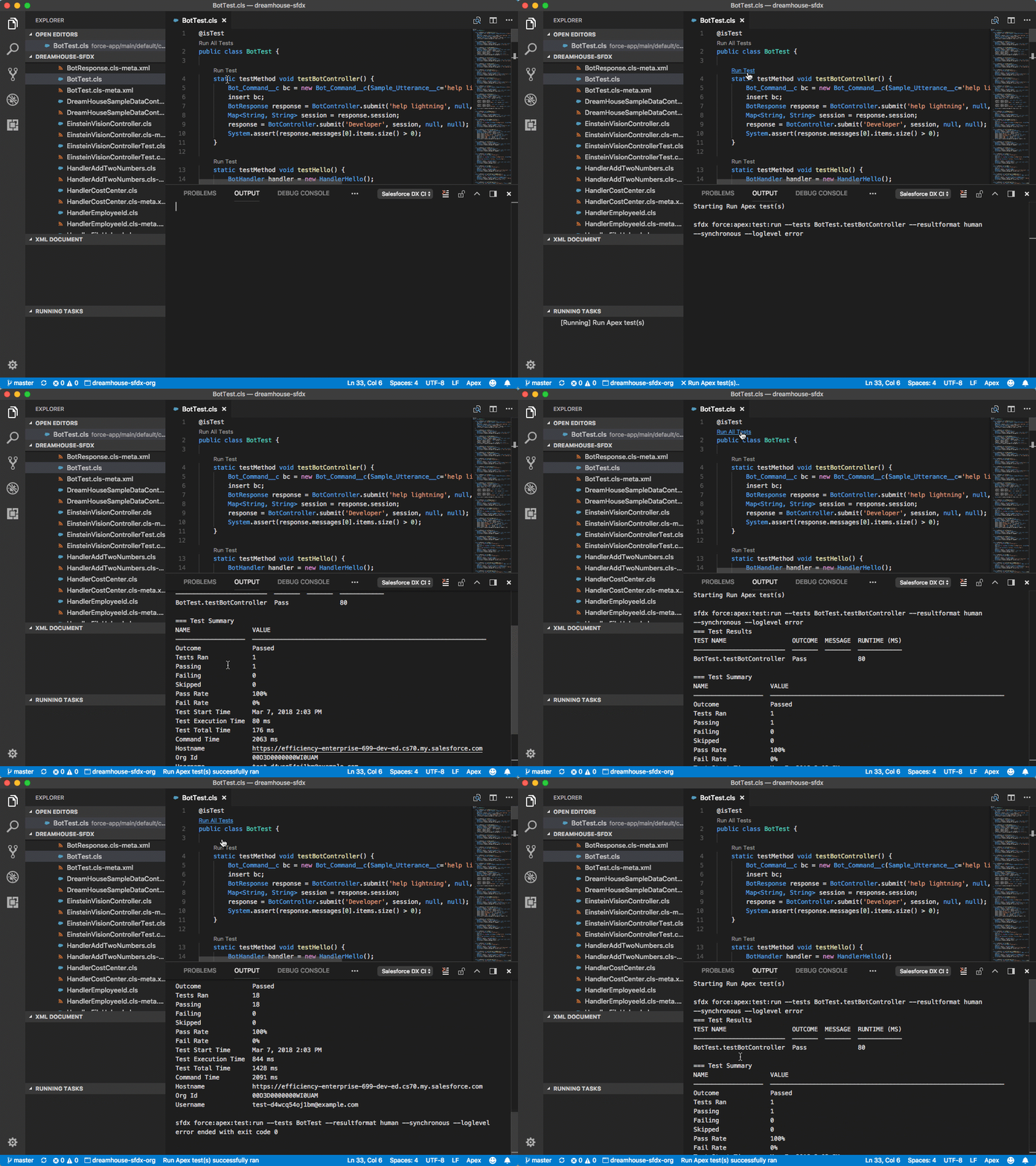
Apex tests are the difference between a demo that survives a refresh and a POC that silently rots. The good news for SEs: writing tests is one of the things AI does well, and Cursor gives you three easy surfaces to run them from.
Before you start
Install the sf-testing skill. It includes a 120-point review rubric the agent will hold your tests to, including bulk coverage, negative paths, and assertion quality.
Running tests
With the Salesforce MCP loaded, the agent runs tests through the MCP and can pass the results back into chat:
Run the AccountServiceTest class against my default org. If anything
fails, show the failure and propose a fix.
For a full suite:
Run all local tests in my default org. Report coverage by class and
flag any class under 80%.
The Salesforce Extension Pack ships a dedicated test panel. Open it from the left sidebar (it looks like a flask).
- Click the run button next to a test class to run the whole class.
- Click the run button next to a single method to run just that method.
- Right-click for "Debug Single Test" to run with the Apex Replay Debugger attached.
- Coverage shows inline in the editor once a run completes: green gutters for covered lines, red for uncovered.
sf apex run test --target-org demo --class-names AccountServiceTest --result-format human --code-coverageRun every local test and get JSON output for a CI pipeline:
sf apex run test \
  --target-org demo \
  --test-level RunLocalTests \
  --result-format json \
  --code-coverage \
  --wait 20 \
  --output-dir test-results
Reading the coverage panel
Once a run completes, open any Apex class and look at the gutter:
- Green line numbers mean "covered by at least one test".
- Red line numbers mean "no test hit this line".
- Unmarked lines are things Apex doesn't count toward coverage (comments, class declarations, some signatures).
The Command Palette command SFDX: Toggle Apex Code Coverage turns this view on and off. If you don't see the colors after a test run, toggle it.
Asking the agent for a real test class
A bad prompt: "write a test for this class."
A good prompt gives the agent three things: the class under test, what you expect to hit, and any constraints.
@AccountService.cls

Write an AccountServiceTest class that:

- Uses @TestSetup to create baseline data.
- Covers every public method with positive, negative, and bulk (200-record) cases.
- Targets 90%+ coverage on the file.
- Avoids SeeAllData=true.
- Asserts on behavior, not just "no exception thrown".
- Follows the patterns in `.cursor/rules/apex.mdc`.
With the sf-testing skill loaded, the agent will produce a file that passes the skill's rubric. Run it, check the coverage gutter, and iterate on anything red.
The patterns that matter
@TestSetup for shared fixtures
Data created in a @TestSetup method is available to every test method in the class. That's faster than creating records per-test and more consistent.
@isTest
private class AccountServiceTest {
    @TestSetup
    static void setup() {
        List<Account> accts = new List<Account>();
        for (Integer i = 0; i < 5; i++) {
            accts.add(new Account(Name = 'Acme ' + i));
        }
        insert accts;
    }

    @isTest
    static void rankTopAccounts_returnsCorrectOrder() {
        // ...
    }
}
Mock the external world
If the class hits a callout, a platform event, or Agentforce, don't let your test actually make the call. Use HttpCalloutMock, Test.setMock, or Stub.API:
@isTest
static void getForecast_handlesApiError() {
    Test.setMock(HttpCalloutMock.class, new WeatherServiceMock_Error());
    Test.startTest();
    WeatherResponse r = WeatherService.getForecast('10001');
    Test.stopTest();
    System.assertEquals('UNAVAILABLE', r.status);
}
A rule for your project can nudge the agent to do this automatically:
---
description: Apex test conventions
globs: ["**/*Test.cls"]
---

- Never call real HTTP endpoints from a test. Use `Test.setMock`.
- Never use `SeeAllData=true` unless the class under test requires it.
- Wrap callout or DML behavior in `Test.startTest` / `Test.stopTest`.
- Assert on concrete values, not just absence of exception.
Bulk coverage, in practice
A real bulk test inserts 200 records, runs the method, and asserts the outcome on all of them:
@isTest
static void closeStaleOpportunities_bulk() {
    List<Opportunity> opps = new List<Opportunity>();
    for (Integer i = 0; i < 200; i++) {
        opps.add(new Opportunity(
            Name = 'Bulk ' + i,
            StageName = 'Prospecting',
            CloseDate = Date.today().addDays(-120)
        ));
    }
    insert opps;

    Test.startTest();
    OpportunityService.closeStale();
    Test.stopTest();

    List<Opportunity> after = [
        SELECT Id, StageName FROM Opportunity
        WHERE CreatedDate = TODAY
    ];
    System.assertEquals(200, after.size());
    for (Opportunity o : after) {
        System.assertEquals('Closed Lost', o.StageName);
    }
}
This pattern catches governor-limit regressions that a five-record test would miss.
Assertions that matter
A test that just calls the method and checks it didn't throw is worse than no test. A good assertion ties the test to a business rule:
System.assertEquals(
    Expected.EXPECTED_TOTAL,
    actualInvoice.Total__c,
    'Invoice total should reflect the 10% enterprise discount.'
);
The message is half the value. When someone else's PR breaks that test three months from now, the message tells them what they broke.
Coverage targets
Salesforce requires 75% overall on production deploys. For SE work, aim higher on anything you'd be embarrassed to hand to an implementation partner:
| Code shape | Realistic target |
|---|---|
| Service classes with real logic | 90% |
| Utility classes | 95% |
| Triggers | 90% (but Trigger Handler patterns push this higher) |
| Controllers for LWCs | 85% |
| Mocks, stubs, fixtures | Not counted |
Ask the agent for a gap report:
@force-app/main/default/classes

Which classes in this project have less than 85% coverage? For each one,
list the uncovered methods and propose a short test addition.
Quick deploys and validations
Before a production push, validate with test execution so you can quick-deploy later:
sf project deploy validate \
  --target-org acme-prod \
  --test-level RunLocalTests \
  --wait 60
If it succeeds, save the Job ID from the output. Then, in your change window:
sf project deploy quick --job-id 0Af... --target-org acme-prodQuick deploys skip the test run because the validation already did it. Turns a thirty-minute deploy into a one-minute deploy.
The test-fix loop, end to end
When a test fails:
-
Read the failure message, not just the line number. Apex failures include the governor counts at the moment of failure.
-
Paste the failure and the class under test into chat. Ask for a root cause and a patch.
-
Apply the patch. Rerun the class.
-
If coverage dropped, ask for the gap:
@AccountService.cls @AccountServiceTest.cls Run sf-testing analysis. Which lines of AccountService are still uncovered, and what test additions would cover them? -
When coverage and assertions both look healthy, commit.
What to do next
- Pair this with Debugging Apex in Cursor for anything that fails mysteriously.
- Deploy safely with Source Tracking &
.forceignore. - Lock test conventions into Rules & AGENTS.md.