
Rules & AGENTS.md
Teach Cursor your conventions with .cursor/rules/*.mdc and a repo-level AGENTS.md
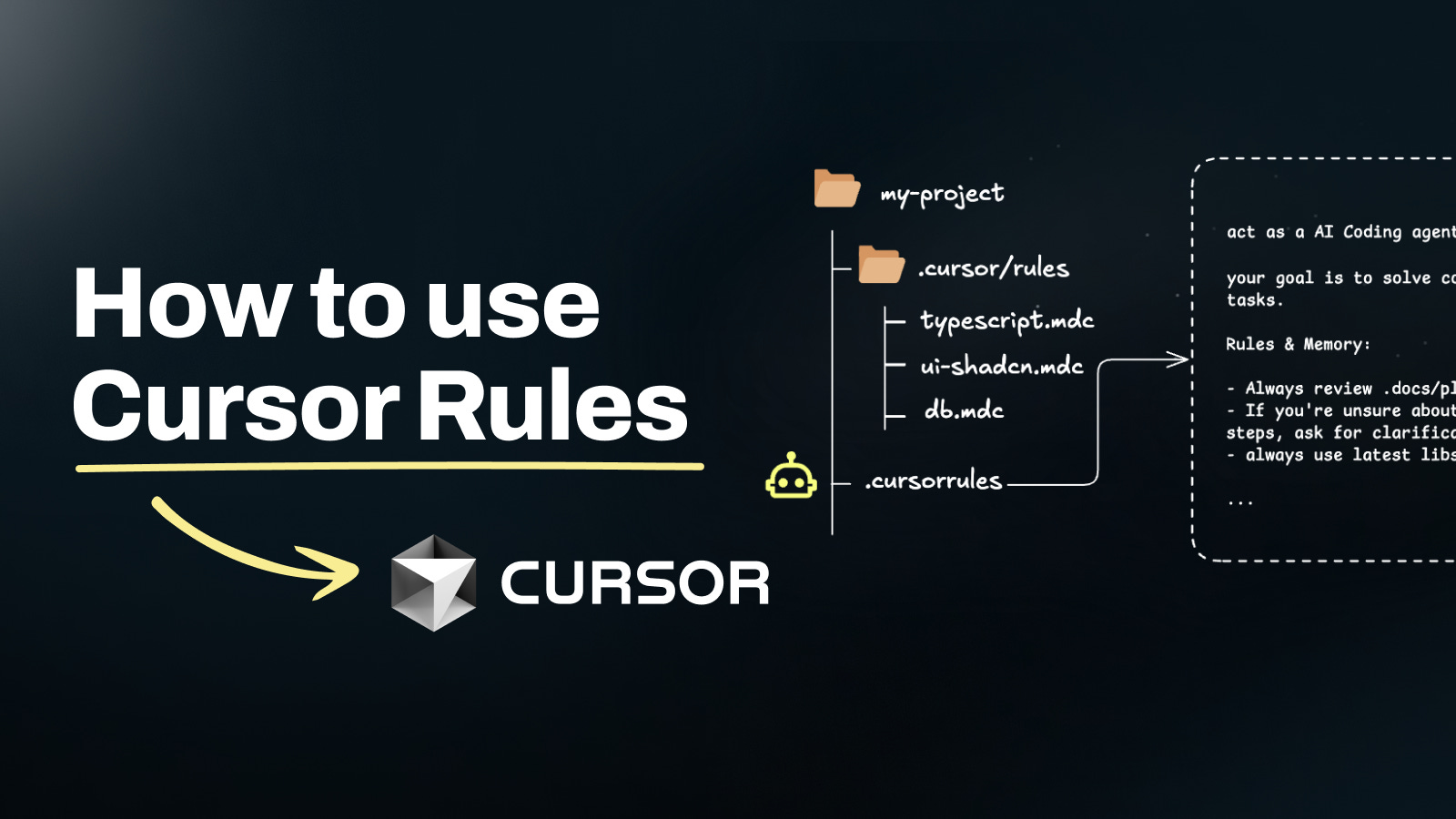
If you've ever caught yourself telling the agent the same thing at the start of every chat ("use the Salesforce MCP, generate @isTest classes, never touch production"), that sentence belongs in a rule. Rules and AGENTS.md are how you stop retyping your conventions.
The three shapes, and which to use
There are three places Cursor picks up your conventions:
| Shape | Scope | Best for |
|---|---|---|
| User rules | Global, everywhere you open Cursor | Your personal preferences (voice, model choice, formatting) |
Project rules in .cursor/rules/*.mdc | This repo only | Project-specific conventions, file-scoped guidance |
AGENTS.md at the repo root | This repo only | A human-readable briefing for any agent that opens the repo |
You'll end up using all three. AGENTS.md is the first thing a new agent should read. Project rules fire automatically based on file patterns. User rules ride with you.
A quick note on `.cursorrules`
If you've seen .cursorrules (a single file at the repo root) in older docs, that's the legacy shape. It still works, but new Cursor versions prefer .cursor/rules/*.mdc because it lets you scope rules to file patterns and compose many small rules instead of one big one. AGENTS.md is the modern repo-level briefing doc. Use the new shapes for anything you write today.
Project rules (.cursor/rules/*.mdc)
A project rule is a short Markdown file with YAML frontmatter. It lives in .cursor/rules/ at the repo root. The frontmatter tells Cursor when to apply the rule.
---
description: Salesforce MCP-first conventions for this repo
globs: ["**/*.cls", "**/*.trigger", "**/*.js", "**/*.html", "**/*-meta.xml"]
alwaysApply: true
---

When working with Salesforce in this repo:

- Prefer the Salesforce MCP for org operations over raw `sf` CLI text.
- Never deploy to an alias named `prod` or matching `*-prod-*` without explicit user confirmation in the chat.
- When generating Apex, always include a matching test class and aim for 90% coverage.
- When generating an LWC, include `.js-meta.xml` with `<isExposed>true</isExposed>` and at least one target.
- Redact customer PII from any log you paste in chat.
Frontmatter fields you'll actually use:
descriptionis a one-liner the agent sees when picking rules to apply.globsis the file patterns this rule applies to.alwaysApply: trueforces the rule into every request in this project, regardless of which file you have open. Use sparingly.typecan beauto,always, ormanualdepending on your Cursor version. Default (auto) lets Cursor decide based on relevance.
A starter set of rules for SE work
Drop these into .cursor/rules/ to cover the baseline. You can adjust as your project grows.
---
description: Always prefer the Salesforce MCP for org operations
alwaysApply: true
---

When the user asks about orgs, metadata, queries, deploys, or users:

- Use the Salesforce MCP first. Only fall back to `sf` CLI text if the MCP
  cannot handle the request or is unavailable.
- Before deploying, list what would change and confirm the target org
  alias in chat.
- For multi-org setups, name the MCP explicitly (for example,
  "use the `Salesforce UAT` MCP") rather than guessing.
---
description: Apex conventions for this repo
globs: ["**/*.cls", "**/*.trigger", "**/*Test.cls"]
---
When generating or reviewing Apex:
- Bulkify everything. No SOQL or DML inside loops.
- Use `with sharing` by default. Only use `without sharing` when the
user explicitly asks for it and you can justify it.
- Every new class gets a matching `*Test.cls` targeting 90% coverage
or higher, with a mix of positive, negative, and bulk (200-record)
cases.
- Prefer `Database.query` with bind variables over string concatenation.
- Never use `System.debug` with PII values.---
description: LWC conventions for this repo
globs: ["**/lwc/**/*.js", "**/lwc/**/*.html", "**/lwc/**/*.js-meta.xml"]
---
When generating or reviewing a Lightning Web Component:
- Always include `.js-meta.xml` with `<isExposed>true</isExposed>` and
at least one target (`lightning__AppPage`, `lightning__RecordPage`,
or `lightning__HomePage`).
- Use `@wire` for reactive data. Use `@api` only for public properties.
- Use SLDS utility classes for spacing and typography. No inline styles.
- Keep template logic simple. Move conditionals to getters when possible.
- Add `aria-*` attributes for any interactive element.---
description: Customer-safe defaults
alwaysApply: true
---
Safety rules that apply to everything in this repo:
- Never paste customer PII (names, emails, phone numbers, SSNs, account
identifiers) into chat messages. Redact to `[REDACTED]` first.
- Never run a destructive command (`sf project delete`,
`sf data delete`, `git push --force`) against an alias containing
`prod` or `production`.
- If an alias is unfamiliar, ask before running any write.
- Treat screenshots from customer orgs as PII.AGENTS.md
AGENTS.md is a plain Markdown file at the repo root that acts as a briefing doc for any agent (Cursor's or otherwise) that opens the project. Humans read it too. It's not scoped to a file pattern like a rule is. It just sits there and gets pulled in as context.
A solid starter:
# AGENTS.md

## What this repo is

A POC for ACME Corp showing how Agentforce can triage inbound cases, pull
related Knowledge articles, and draft a reply. Stakeholder is
`jane.doe@acme.com`. Target org alias in development is `acme-uat`.

## How to work in this repo

- Use the Salesforce MCP for all org operations.
- The default target org is `acme-uat`. Do not deploy to any other
  alias without explicit confirmation.
- Scratch org definition is in `config/acme-scratch-def.json`.
- We install the `sf-apex`, `sf-lwc`, `sf-soql`, and `sf-ai-agentforce`
  skills for this project.

## Project layout

- `force-app/main/default/agents/` is the Agentforce agent definition.
- `force-app/main/default/lwc/` is companion LWCs for the demo UI.
- `scripts/` holds reset, seed, and teardown scripts for demo rehearsals.
- `docs/` is handoff documentation (generated via `afd360-poc-docs-skill`).

## Demo reset

`scripts/reset.sh` re-seeds the scratch org. Run it before every rehearsal.
See `docs/demo-reset.md` for the full flow.

## Who to ask

- Dylan (`dylan.andersen@salesforce.com`) owns the Agentforce side.
- Jane (`jane.doe@acme.com`) is the customer stakeholder.
AGENTS.md is where you put the stuff an intelligent new team member would want on day one. If a senior agent wouldn't guess it from the code, write it down.
Rules vs. skills
This is the question that trips most SEs up once they've seen both:
- A rule is short, always-on, and nudges behavior. Think "always include a test class." Rules live in the repo and apply every time the agent helps.
- A skill is a deep playbook with a scoring rubric and reference material. Think a 500-point review of an Apex class against every Salesforce best practice. Skills get pulled in when they're relevant.
Roughly: if it fits in a bullet list, it's a rule. If it needs headings, examples, and a rubric, it's a skill.
Both can call out to MCPs. Both can coexist. An sf-apex skill and a four-bullet apex.mdc rule work beautifully together. The rule nudges every small edit, and the skill kicks in when you ask for a review. See Using Skills for the full library.
The promotion ladder
A pattern that works well: start small, promote when it matters.
- You write a prompt. It works.
- You catch yourself writing a near-identical prompt the next day. Promote it into a rule under
.cursor/rules/. - The rule starts sprouting sub-bullets and examples. Promote it into a skill in
.claude/skills/or.cursor/skills-cursor/. - The skill needs to call out to the real world. Give it an MCP.
- The task runs for more than a few minutes. Hand it to a subagent or background agent.
Every step is a real decision. Don't promote prematurely. A salesforce.mdc with six clear bullets beats a sprawling skill no one reads.
Verifying your rules fire
Two easy checks:
- In Cursor chat, ask: "Which rules apply to the file I have open?" The agent will list what it sees.
- Make a small change that should trigger a rule (for example, a new
.clsfile when your Apex rule requires a matching test class) and watch whether the agent volunteers the test class without being asked.
A rule that fires is a rule that works
You don't need to tune your rules up front. Write the first draft, ship it, and revise when the agent does something you'd have had to correct.
Where to go next
- See rules in action on a real build in Your First Project.
- Layer on real org tools with the MCP Setup.
- Read the deeper playbooks in Using Skills.